
Note: This article covers how the matching works. For the steps to add or remove tags on your files and template blocks, see How to Update Data Tags.
The basics: one tag, one match
Every block in your template is set to look for a specific data tag. When Weave generates that section, it pulls in every document in your Data Room carrying that tag. If two documents share the tag, both flow in. If none do, nothing does.
That's the whole model in one line: a block asks for a tag, and the files that carry it get pulled in.
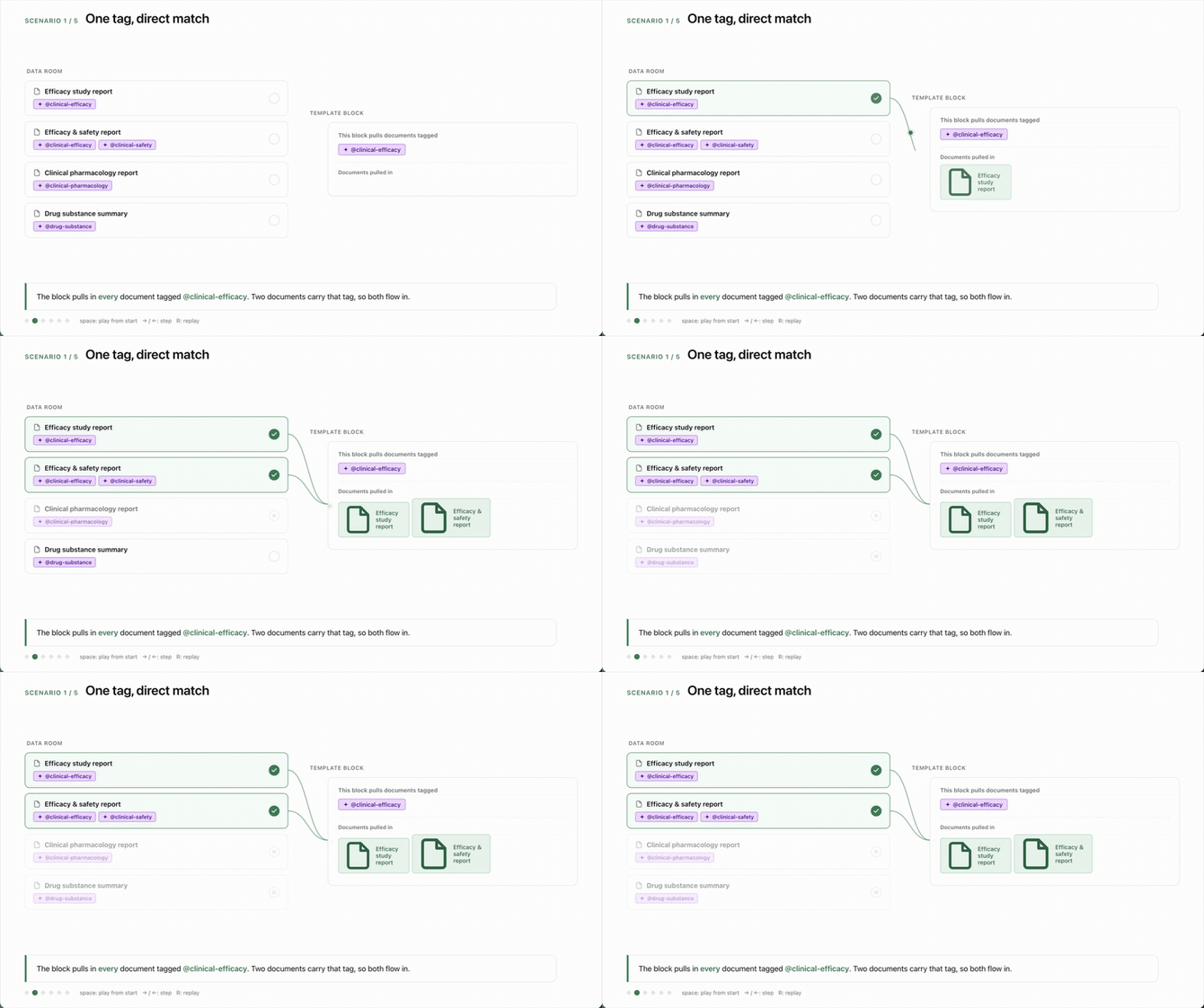
Two documents tagged @clinical-efficacy both flow into a block looking for that tag
Two tags and more use AND logic
When a block is set to look for two tags, a document has to carry both to be pulled in, not just one. A file with only one of the two tags is left out.
This is why we often suggest tagging your source files generously. If a block needs both tags and your file only has one, that file won't appear in the section, even though it looks like a close match.
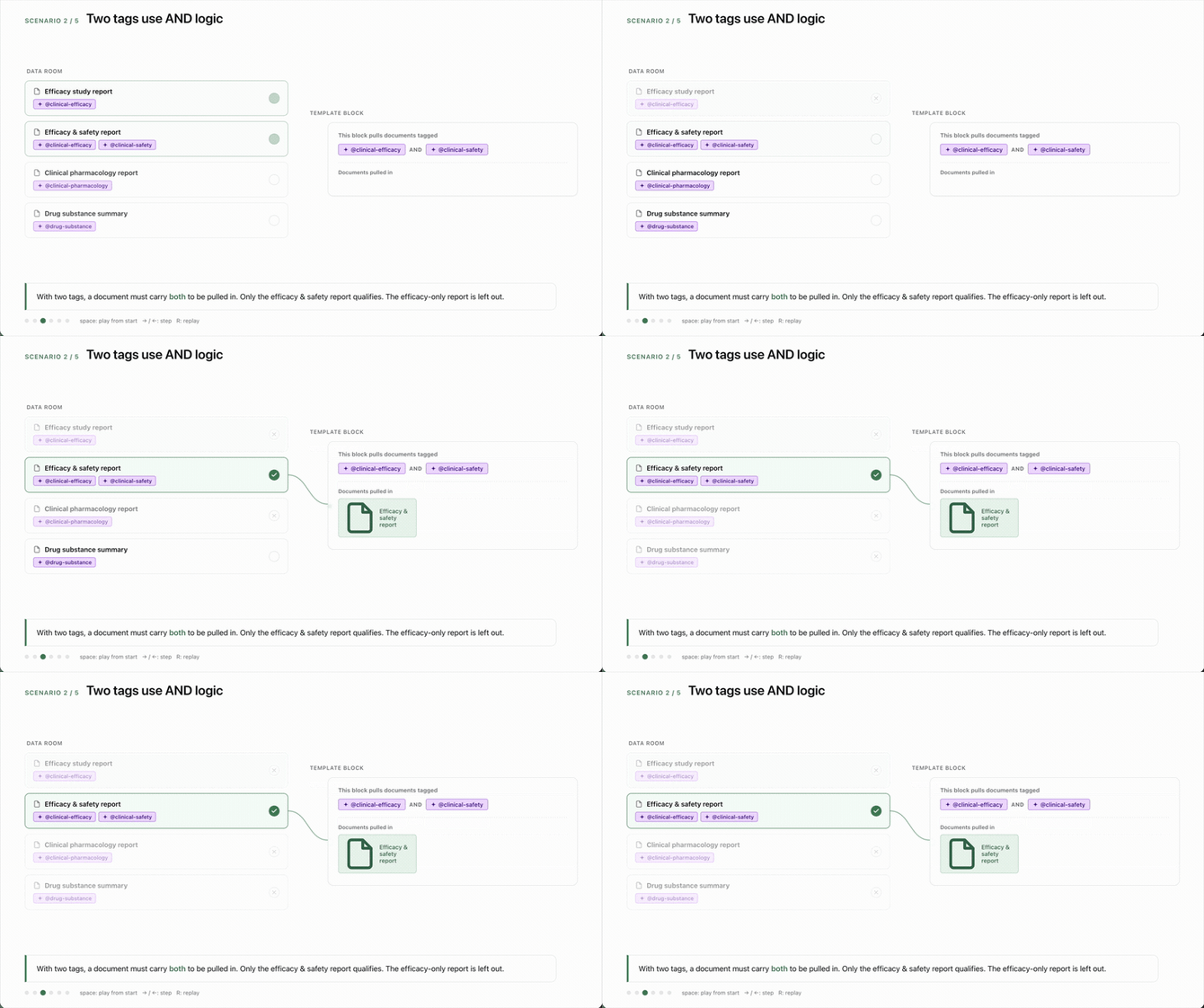
With two tags, only the document carrying both is pulled in
Tip: If a file you expected isn't showing up in a section, check whether that block requires a second tag the file is missing.
When a section comes back empty
If none of your documents carry the tag a block is looking for, nothing gets pulled in and that section generates empty. This is the most common reason a section shows up blank, and it almost always traces back to a tag that was never applied to the file in the Data Room.
When that happens, the fix is upstream. Find the file that should feed the section and make sure it carries the tag the block expects.
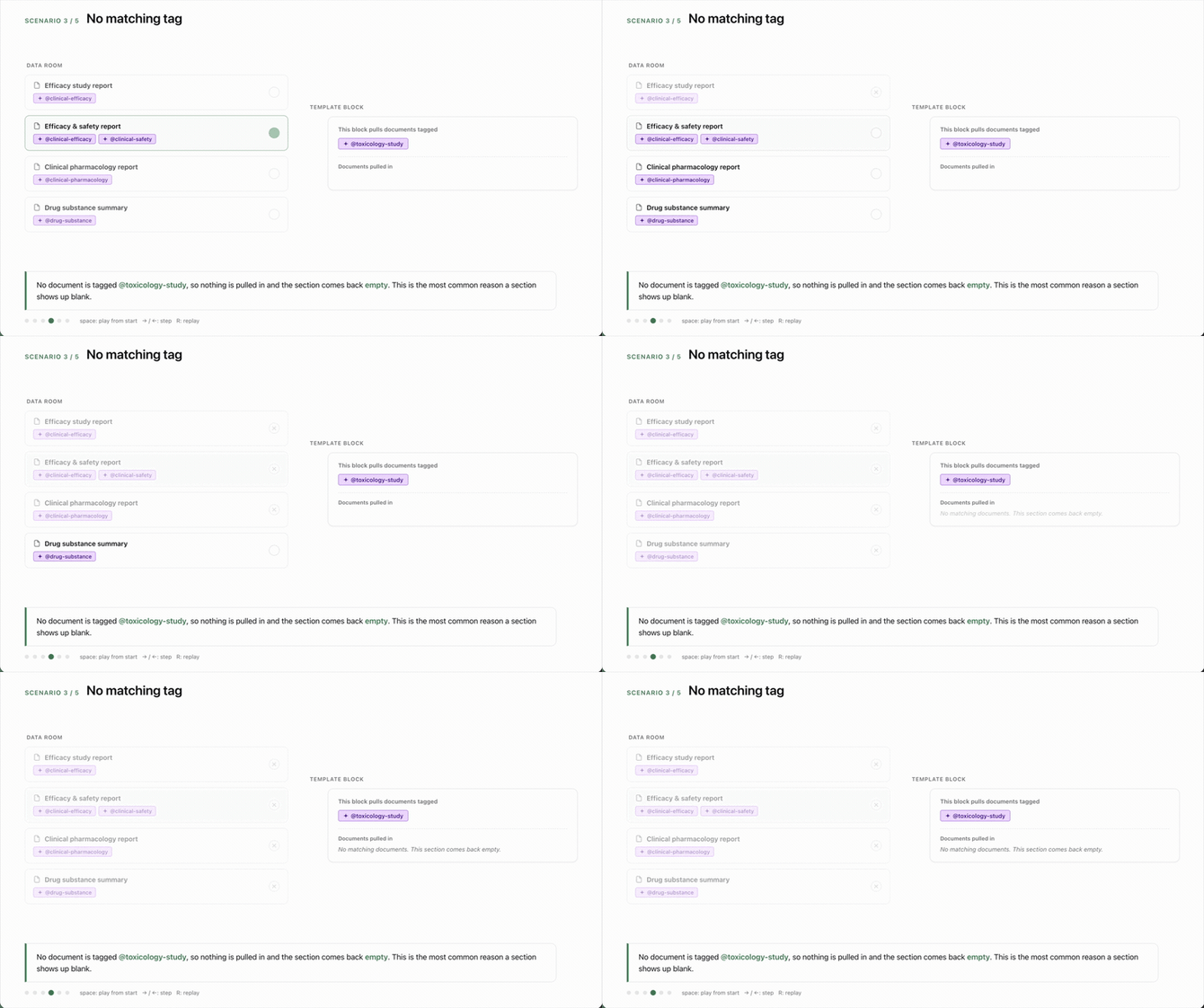
When no file carries the required tag, the section returns empty
Parent and child tags
Some tags are parents that sit above a group of related tags. For example, @clinical-study sits above @clinical-efficacy, @clinical-safety, @clinical-pharmacology, and more.
When you point a block at a parent tag, Weave automatically brings in every document tagged with any of its children. You don't have to list each child separately.
This also explains a common source of redundancy. If you tag a block with both a parent and one of its children, the child is already covered by the parent. The parent pulls everything underneath it.

Selecting the parent tag automatically brings in all of its child tags
Tip: When you're choosing tags for a block, ask whether a single parent tag would cover what you need. It's often cleaner than listing several children.
Putting it together
Every section comes down to one question: which of your documents carry the tag the block is looking for? Once you can predict that, you can tag your files so the right content lands in the right place, and diagnose a section that isn't behaving. When you're ready to adjust tags, the How to Update Data Tags article walks through the steps.
FAQ
Q: One of my sections generated empty. Why?
A: The block for that section is looking for a tag that none of your Data Room files carry. Find the file that should feed the section and add the tag the block expects, then regenerate.
Q: If I tag a document with a parent tag, do I still need to add the child tags?
A: No. A parent tag automatically covers all of its children, so tagging both is redundant. The parent pulls everything underneath it.
Q: What's the difference between tagging a file and tagging a template block?
A: You tag files in the Data Room to describe what they contain, and blocks in the template to describe what they should pull. Weave matches the two. A section only fills when a file's tags satisfy what its block is asking for.
Quick Reference: how matching works
- Each template block looks for one or more data tags.
- Weave pulls in every Data Room file that carries the block's tag.
- Two tags on a block means a file needs both to be pulled in (AND logic).
- No file with the tag means the section generates empty.
- A parent tag automatically pulls in every file tagged with any of its children.